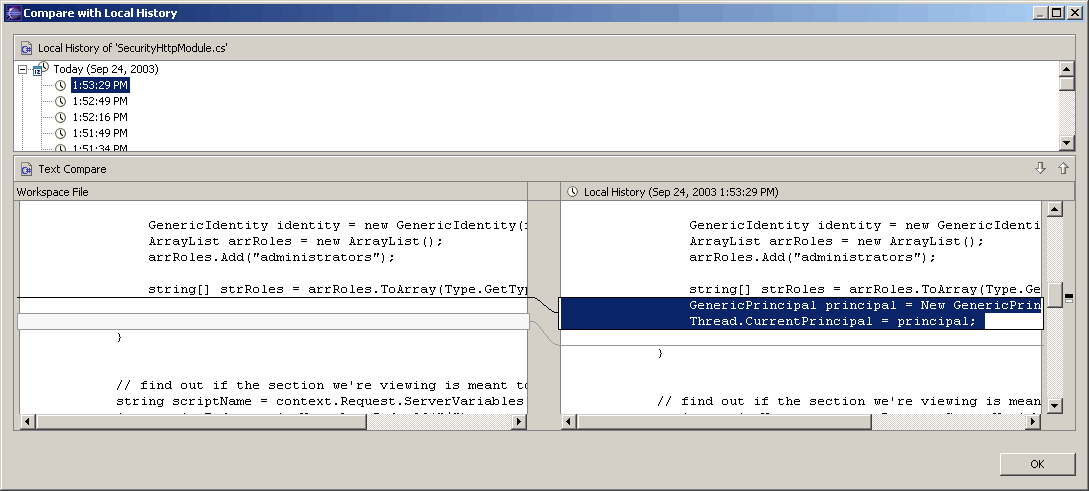
 Say you just modified a file in Eclipse and you want to roll back to the version you had about 5 minutes ago. With a normal IDE, if you’ve had the file checked out from SourceSafe or CVS without checking it back in you won’t be able to see your changes. Eclipse however, maintains it’s own little history of your changes, which you can see in the screenshot to the left (click it to see the large version). To get this ‘local history’, right click on the file in question, choose “Compare With” and choose “Local History”. Very very cool.
You can read more about Local History here if you’re so inclined.
Yeah, IntelliJ has this feature too: http://www.intellij.com/idea/features/14
I have to admit, I’ve never actually had a need for it in real life (maybe because I try to check in as often as possible), but it’s comforting to know it’s there if trouble strikes.
One enhance I’d like to see are “snapshots” Create a snapshot across multiple, files, projects. Then be able to look at snapshots and select one to rollback to.
Netbeans has this feature too.